

Default Configuration
To make configuring a component easier for users, you can provide a default configuration for it. This can be done by defining either Default Configuration or Default Row Configuration in Keboola Developer Portal:
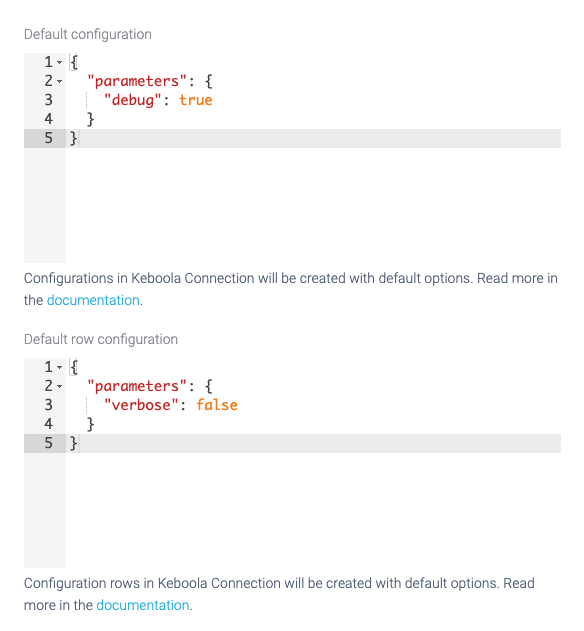
Default Configuration
Section titled “Default Configuration”If you define Default Configuration for your component, all new configurations will be created with this configuration.
Let’s assume your component has the following JSON set as Default Configuration:
{ "parameters": { "debug": true }}Once the new configuration is created, the configuration JSON will look like this:
{ "changeDescription": "Configuration created", "configuration": { "parameters": { "debug": true } }, "created": "2021-06-17T12:14:50+0200", "description": "", "id": "719629255", "name": "My DynamoDB Data Source", "state": {}, "version": 1}Default Row Configuration
Section titled “Default Row Configuration”The same also applies to rows. If a component has Default Row Configuration defined, e.g., like this:
{ "parameters": { "verbose": false }}Then adding a new row to the configuration will use the default values too, and the final configuration will look like this:
{ "changeDescription": "Configuration created", "configuration": { "parameters": { "debug": true } }, "created": "2021-06-17T12:14:50+0200", "description": "", "id": "719629255", "name": "My DynamoDB Data Source", "state": {}, "version": 2, "rowsSortOrder": [], "rows": [ { "id": "30645", "name": "Test", "description": "", "isDisabled": false, "version": 1, "created": "2021-06-17T12:22:19+0200", "changeDescription": "Create query Test", "state": {}, "configuration": { "parameters": { "verbose": false } } } ]}